AI in advertising
Meta Ads MCP and CLI: A Step-by-Step Usage SOP for Marketers
Kailas Nath R and Kautilya Roshan
· 12 min read
Meta now offers an official Ads MCP server and a command-line tool, so an AI assistant can read your campaign data and even create ads. That is powerful and a little scary, because one careless prompt can touch real money. This guide is a plain-language SOP for Meta Ads MCP and the Ads CLI: who should have access, what to try first, and where a human must say yes.
- Meta's Ads MCP server is Meta-hosted at https://mcp.facebook.com/ads and works with MCP-compatible AI tools. The Ads CLI is a terminal tool that wraps the Marketing API. Both are described in Meta's developer documentation.
- According to Meta's documentation, write tools create campaigns, ad sets and ads in a paused state, and activating them requires confirmation in your AI client. Treat that as a safety net, not as your only control.
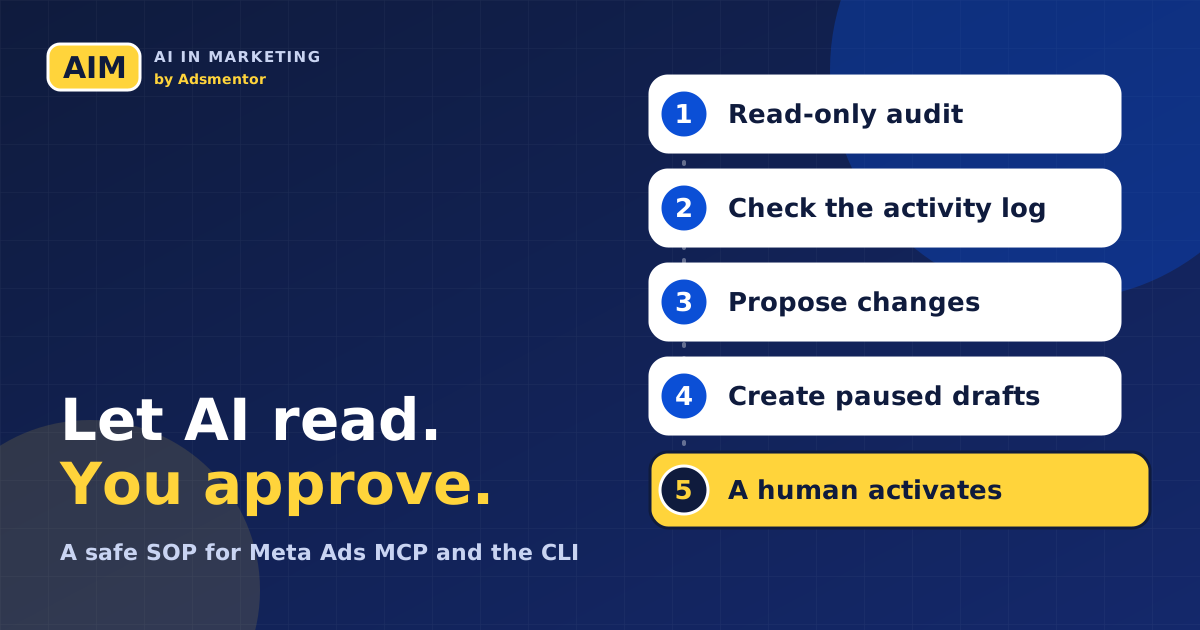
- The safest order is: read-only audit, then proposals, then paused drafts, then a human activates. Never go straight to creating live ads.
- The SOP uses RTCROS prompts, so the Rules part tells the AI what it must not do, such as calling any create or activate tool during an audit.
- A free 3-page SOP document with a prerequisites checklist, five phases, prompts and a sign-off log is below, branded for AIM by Adsmentor.
What Meta Ads MCP and the Ads CLI are
Two tools, one idea: let software talk to your Meta ad account in a controlled way.
The Ads MCP server. MCP stands for Model Context Protocol, an open way for AI assistants to use outside tools. Meta's developer documentation describes its Ads MCP server as a Meta-hosted server that lets you manage Meta ads from an AI agent, using "structured, permission-scoped tools". The address is https://mcp.facebook.com/ads. The documentation lists categories such as reporting, ad creation and management, catalogs, signals and datasets, A/B tests and conversion lift studies, help and troubleshooting, and activity logs.
The Ads CLI. CLI means command-line interface, a tool you run by typing commands. Meta's documentation says the Ads CLI wraps the Meta Marketing API so you can create campaigns, manage catalogs and Meta Pixels, and query performance insights. Commands follow a noun-verb pattern, for example meta ads campaign list.
You do not need to be a developer to use the MCP route, because you talk to an AI assistant. The CLI suits people who are comfortable in a terminal or who want repeatable scripts. Meta's overview pages we read do not label either tool as beta, though some third-party guides do, so check Meta's current documentation before you rely on either one.
Which one should you use?
| Question | Ads MCP server | Ads CLI |
|---|---|---|
| Where does it run? | On Meta's hosted server, called by your AI client | On your computer or a server you control |
| How do you use it? | Talk to an AI assistant that supports MCP | Type commands or script them |
| Best first job | Reading and explaining performance | Repeatable lists, reports and structured creation |
| Sign-in | OAuth, user token or system user token (per Meta's docs) | System user access token (per Meta's docs) |
| Our advice | Start here, read-only | Add later for repeat tasks |
The row on sign-in matters. Meta's MCP "Get started" page lists three authentication methods: OAuth, a user access token and a system user access token. For system users it says only Employee-role tokens work: "Admin-role system user access tokens can't access the ads MCP server." The CLI "Get started" page says the CLI requires a system user access token for programmatic access.
Before you connect anything: the ownership check
Most disasters here are not technical. They come from access nobody can trace. Before anyone connects an AI tool to an ad account, confirm four things:
- The business owns the ad account. If a freelancer created it under their own profile, fix that first. Our case study on who really owns your ad account shows how expensive this gets.
- Access is least-privilege. Give the AI connection only the permissions the job needs. For reporting, that means the read option, not management. Meta's MCP page names
ads_readandads_managementamong its scopes but does not label them read-only or read-write, so confirm what each allows with Meta before you rely on it. - You know who the system user is. For the CLI, Meta's setup creates a system user in Business Settings and assigns it to the app and each ad account. Write down who created it and who can revoke it.
- Tokens are secrets. The CLI reads an access token from environment variables or a .env file. Keep that file out of version control and never paste a token into a chat.
The SOP: five phases from read-only to live
The rule behind the whole procedure: the AI proposes, a human decides, and money moves only after a human says so.
Phase 0: Set up access (30 minutes)
For the MCP route, Meta's documentation gives this command for Claude Code: claude mcp add --transport http --client-id <META_APP_ID> meta-ads https://mcp.facebook.com/ads. A Meta developer app is optional according to the page; without one, Meta points to a separate setup in its help centre. For the CLI route, Meta lists Homebrew (brew tap facebook/fb, brew trust facebook/fb, brew install facebook/fb/meta-ads) or pip install meta-ads, then a system user token. Run meta auth status to confirm the setup and meta ads adaccount list to find your account.
Official documentation and some third-party guides disagree on the CLI package name and sign-in method. We follow Meta's developer documentation. Check the page again on the day you install, because tools like this change quickly.
Phase 1: Read-only audit
Ask the AI to read, never to change. Meta's reporting tools include ads_get_ad_entities (campaigns, ad sets and ads with spend, impressions, CTR, CPC, CPM and conversions), ads_insights_performance_trend, ads_insights_anomaly_signal and ads_get_opportunity_score. Here is an RTCROS prompt for it. The account details are an example brief, not a real client.
Role: You are a senior paid social analyst who explains findings to a business owner.
Task: Audit the last 30 days of this Meta ad account and tell me what is working, what is wasting money and what to check first.
Context: Online saree store in Pune, goal is purchases at a return on ad spend above 3. Monthly budget about ₹60,000. Use the ad account I connected.
Rules: Read-only. Do not call any tool that creates, updates, activates or deletes anything. Use only data returned by the tools. If a number is missing, say so. Do not guess reasons; list them as hypotheses.
Output format: Three sections: working, wasting money, check first. Add a table of top five campaigns by spend with spend, purchases and return on ad spend.
Style: Plain English, short sentences, no jargon.
Phase 2: Check what changed and who changed it
Many bad weeks start with a change nobody remembers. Meta's activity logs tool, ads_account_get_activity_logs, retrieves log entries for an ad account and can be narrowed by object, time window, event category or user. Ask for the last two weeks of changes before you decide why performance moved. If the log shows edits by someone who should not have access, fix access before you fix ads.
Phase 3: Ask for proposals, not actions
Now ask the AI to propose structural changes, such as a new ad set or a different audience, in words. You approve or reject each one. Keep the Rules strict:
Role: You are a media planner proposing changes for approval.
Task: Propose up to three changes for next week and explain the expected benefit and the risk of each.
Context: Use the audit from phase 1 and the activity log from phase 2.
Rules: Do not execute anything. State which tool or command each change would need. Mark anything that restarts learning or changes budget.
Output format: A numbered list with: change, reason, risk, tool needed.
Style: Short and specific.
Phase 4: Create drafts, always paused
Only after you approve a proposal should the AI create anything. Meta's documentation for the MCP creation tools (ads_create_campaign, ads_create_ad_set, ads_create_ad) says write tools create entities in a paused state and that your AI client asks for confirmation before activation. Its ads_activate_entity tool switches a paused campaign, ad set or ad to active, which starts spending budget. The CLI tutorial likewise says everything is created in PAUSED status by default, so nothing spends until you activate each level.
Role: You are an assistant that prepares campaign drafts for a human to review.
Task: Create the approved campaign as a draft.
Context: Approved change number 2 from phase 3: [paste the approved change, objective, budget and audience].
Rules: Create everything paused. Show me the exact tool call or command before you run it and wait for me to type APPROVE. Never call an activate tool or set any status to active. If any detail is unclear, ask.
Output format: After creating, list each object with its name, ID and status.
Style: Concise.
A units check before real budgets. Meta's CLI tutorial uses --daily-budget 5000 in its example but does not explain the unit on the page we read. Test on a practice account and confirm in the command reference how budget values are interpreted before you enter a real amount.
Phase 5: Review, activate by hand, then log
A human opens the draft in Ads Manager, checks the creative, audience, placements, budget and links, and then activates in order: campaign, ad set, ad. The CLI tutorial gives the same order. Record who approved it, when and why in your sign-off log. A week later, run the phase 1 audit again to compare.
Safety rules we would add to any team
- Separate reading from writing. Use a read-only connection for audits, and a separate connection for creation that few people can use.
- Be careful with --force and --no-input. Meta's tutorial notes these flags suppress prompts, so a script can delete resources with no confirmation. It also says deleting a campaign deletes its ad sets and ads. Never put delete commands in an automated job until you have tested them on dummy data.
- Use the official server. Third-party Meta ads servers exist. Because they would hold the keys to your ad account, evaluate them like any vendor with account access, and prefer the official route.
- Keep a human on money. Do not use an AI loop for anything time-critical, and do not let it activate spend by itself.
- Check logs weekly. Use the activity log to catch unplanned changes.
- Protect secrets. Keep tokens and the .env file out of shared folders and out of chats.
A short command cheat sheet from Meta's documentation
These commands come from the Ads CLI pages. Replace values in angle brackets.
| Job | Command |
|---|---|
| Check setup | meta auth status |
| List ad accounts | meta ads adaccount list |
| List campaigns | meta ads campaign list |
| Get performance | meta ads insights get --fields spend,impressions,ctr,cpc |
| List campaigns as JSON | meta --output json ads campaign list |
| Activate (human step) | meta ads campaign update <CAMPAIGN_ID> --status ACTIVE |
Global options such as --output go before the subcommand, and the documentation lists exit codes from 0 for success to 5 for not found. Settings resolve in this order: command-line flags, then environment variables, then the project .env file.
What this does not do for you
The tools give an AI assistant access. They do not supply strategy, creative taste or judgement about your customers, and they do not make a weak offer perform. They also do not remove your responsibility for what runs: the advertiser is still accountable for claims and policy. The most useful AI help we see in ad accounts is investigation and reporting, which is the work phases 1 and 2 cover. Our guide on staying in control as ad accounts automate explains which decisions should stay with you, and our list of AI advertising mistakes includes automation that spends without approval.
What to do this week
- Check ownership of your ad account and list who has access today.
- Read Meta's MCP "Get started" page and decide whether you need the MCP route, the CLI route or neither yet.
- Connect read-only and run the phase 1 audit on a practice or low-spend account.
- Save the RTCROS prompts from this guide in your notes. If prompt writing is new to you, start with our RTCROS prompt guide.
- Write your sign-off log: date, person, change, reason and result.
If you are a fresher or career switcher, a documented SOP like this one is a strong portfolio piece. It shows you can use AI tools and respect client money.
Where AIM fits
In AIM, learners work in real ad platforms and practise reading, proposing and reviewing before they spend. Trainers review the work, and portfolio ad spend is included so you practise on real campaigns. We do not promise jobs. We teach a working method, and this SOP is the way we think about AI in an ad account: the AI can help, the person decides.
Get the Meta Ads MCP and CLI SOP as a PDF
A three-page SOP you can hand to a teammate or client: purpose and roles, a prerequisites checklist, five phases with prompts, a command cheat sheet from Meta's docs and a sign-off log.
Free PDF, no spam. See how we handle your details in the privacy policy.
Meta Ads MCP and CLI usage SOP
Checklist, five-phase procedure, RTCROS prompts and a sign-off log, branded for AIM by Adsmentor.
Frequently asked questions
What is the Meta Ads MCP server?
It is a Meta-hosted Model Context Protocol server at https://mcp.facebook.com/ads that lets an MCP-compatible AI assistant read and manage Meta ad data through permission-scoped tools, according to Meta's developer documentation.
What is the difference between Meta Ads MCP and the Ads CLI?
The MCP server lets an AI assistant use Meta ad tools through conversation. The CLI is a terminal tool where you or a script type commands. Meta's documentation describes both as ways to work with the Marketing API.
Will the AI spend my money without asking?
Meta's documentation says write tools create campaigns, ad sets and ads in a paused state and that your AI client asks for confirmation before activation. Still, add your own rule: a human activates every ad.
Do I need to know coding to use Meta Ads MCP?
Not for the MCP route, since you talk to an AI assistant, though setup involves OAuth or tokens. The CLI is comfortable only if you can work in a terminal.
Is it safe to connect an AI tool to my ad account?
It can be if you follow least privilege, start read-only, keep tokens secret, review the activity log and keep human approval on spend. Use the official server rather than unknown third-party ones.
Sources and how we checked them
Every source below was opened for this guide. Quotations and tool names are attributed to the page that states them.
- Ads MCP server overview, Meta for Developers, read 3 November 2026. Server address, tool categories and "permission-scoped" wording.
- Ads MCP server: get started, Meta for Developers, read 3 November 2026. Authentication methods, scopes and the Claude Code command.
- Ads MCP server: ad creation and management tools, Meta for Developers, read 3 November 2026. Tool names and the paused-state statement.
- Ads MCP server: comprehensive reporting tools, Meta for Developers, read 3 November 2026. Reporting tool names.
- Ads MCP server: activity logs, Meta for Developers, read 3 November 2026. Activity log tool.
- Ads CLI overview, get started, configuration, command reference and tutorials and recipes, Meta for Developers, read 3 November 2026. Install, authentication, commands, flags, exit codes and paused defaults.
- Meta Ads CLI and MCP guide, mcp.directory, updated May 2026. Third-party guide, read for comparison only; where it differs from Meta's documentation (package name and sign-in method), we used Meta's pages.
How we checked this. We did not run these tools against a live ad account for this guide, so every command and behaviour is as documented by Meta on the date above. Meta did not state a beta label on the pages we read, and we could not confirm a launch date from Meta's own pages, so we make no claim about either. The saree store is a made-up brief for teaching.
About the authors

Digital marketing and agentic AI consultant at Big Stone Agency and trainer in the AIM program. Co-author of The Ad Account Nobody Shows You.

Generative AI engineer, LinkedIn Top Voice, consultant and trainer. Co-author of The Ad Account Nobody Shows You.
More from the blog
- Duolingo's AI-First Memo, 18 Months On: What Its Own Filings Show
- A Prompt Framework for Marketers: RTCROS, With Examples You Can Copy
- Best Digital Marketing Course in India (2026): AI and Vibe Marketing Compared
- The ₹2.4 Lakh Mistake: Who Really Owns Your Ad Account?
- The Ad Account Nobody Shows You: Social Ads Zero to Pro (2026 Edition)
- What Is Vibe Marketing? Get a Week of Work Done in an Afternoon
- Before You Pay for an AI Marketing Course, Ask These 7 Questions
- Your Ad Account Runs Itself Now. Here Is How to Stay the One Who Matters
- Fewer Clicks, Same Customers: Stay Visible in the Age of AI Answers
- Agentic AI Can Give You Your Evenings Back (If You Learn It First)
- 6 AI Advertising Mistakes That Can Cost You a Client (and the Easy Fixes)